FMEA Execution (FMEA Pilot)
Execute DFMEA and PFMEA faster with a visual canvas, AI guidance, and clearer action ownership.
Product Demo
Watch FMEA Execution in action
Visual FMEA Execution
Turn design evidence into actionable reliability decisions with less manual effort.
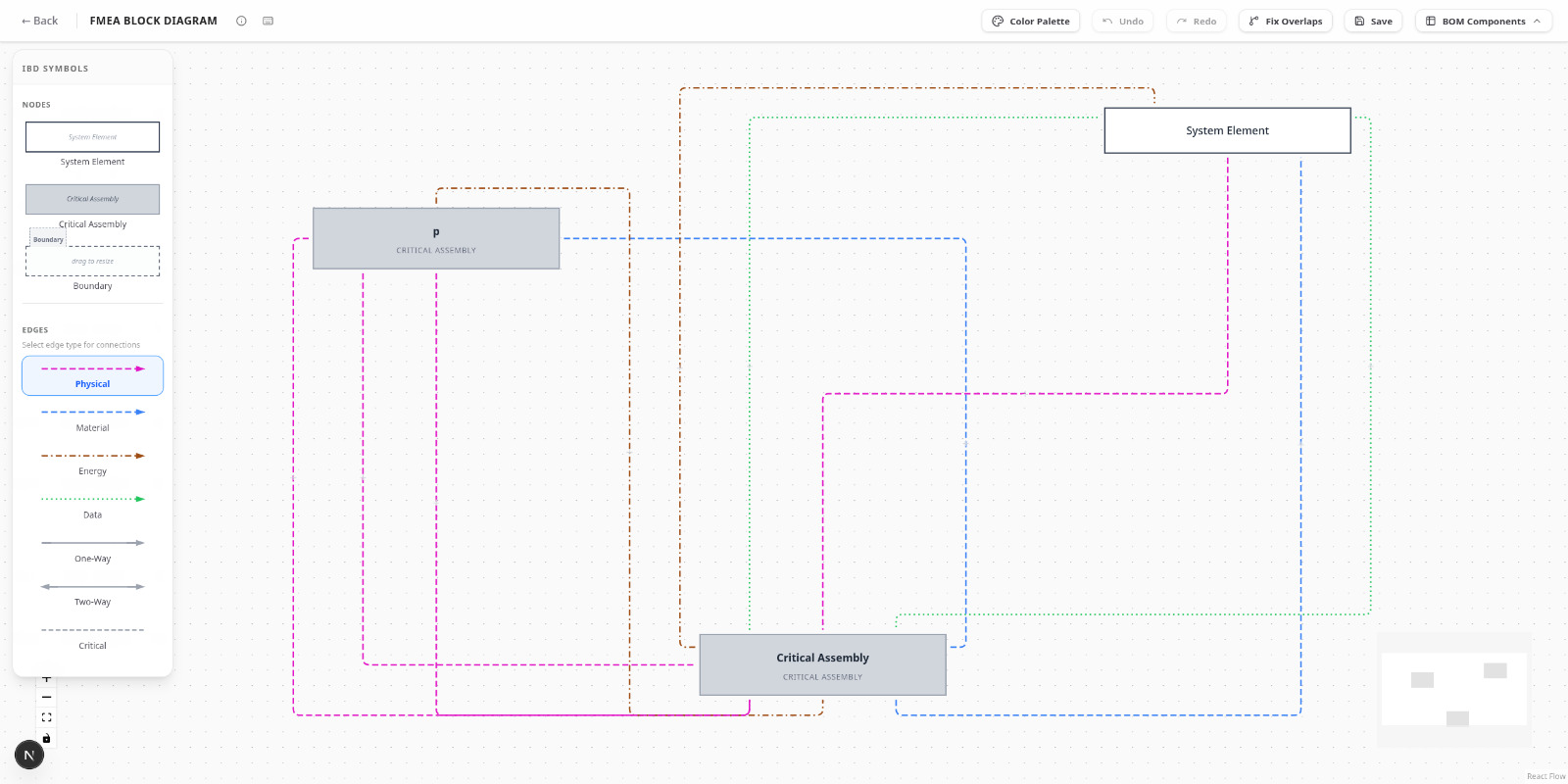
Block Diagrams
Create hierarchical system structures with drag-and-drop components. Define physical, material, energy, and data boundaries with clear visual relationships and failure propagation paths.
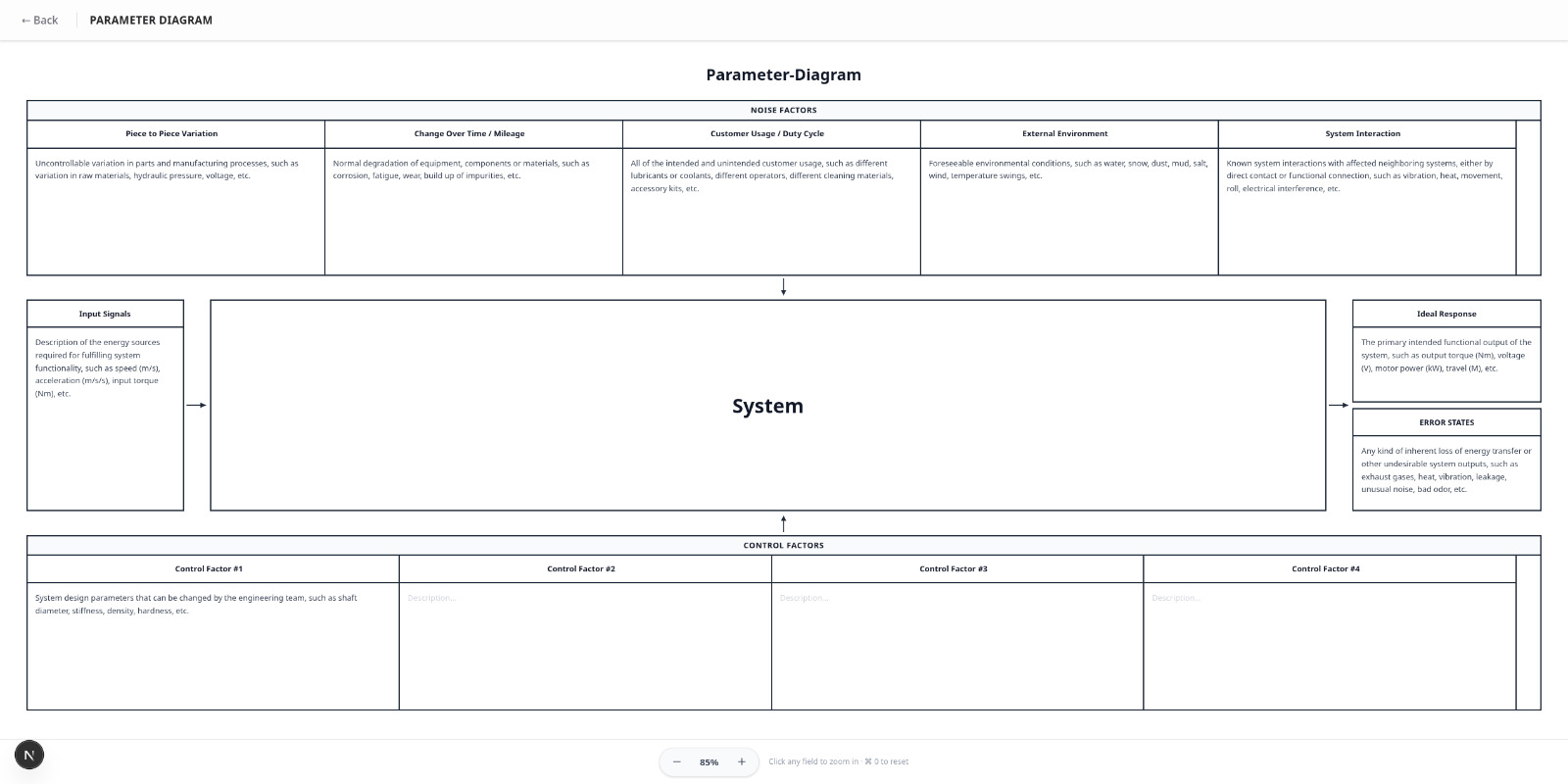
Parameter Diagrams
Map noise factors, control factors, input signals, and error states. Define ideal responses and track parameter interactions to identify potential failure modes before they occur.
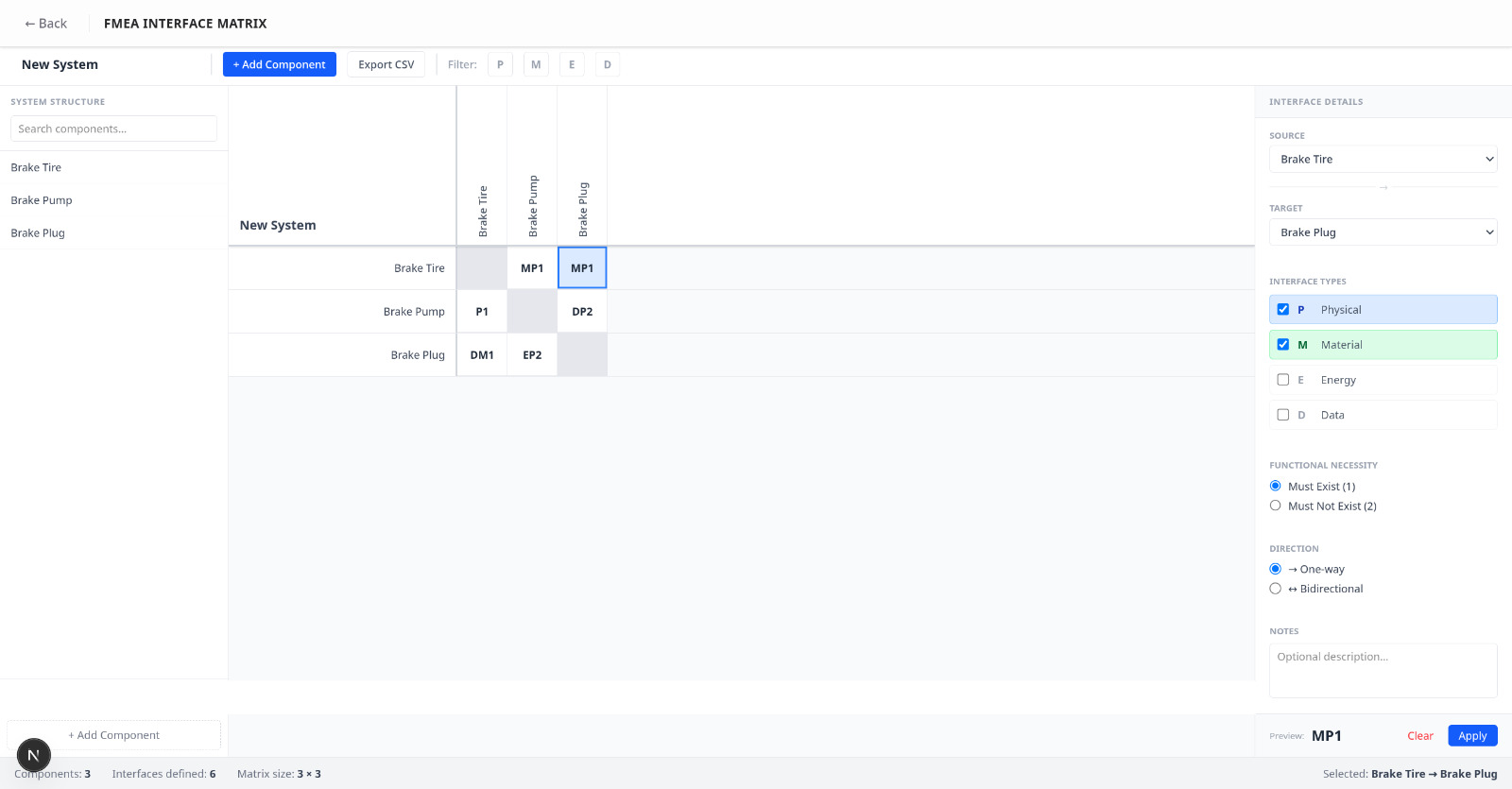
Interface Matrix
Document all system interfaces including Physical (P), Material (M), Energy (E), and Data (D) interactions. Automatically identify interface-related failure modes with functional necessity analysis.
Functional Diagrams
System functions and interdependencies visualization
Fishbone Diagrams
Root cause analysis with cause-and-effect mapping
Process Flow Diagrams
Manufacturing process flows with failure points
Process Flow Worksheets
Process parameters and specifications capture
Control Plan Worksheets
Measurement systems and reaction plans
AI-Powered Intelligence
AI-Assisted Generation
Auto-generate failure modes from diagrams and historical data
Smart Templates
Pre-loaded templates with common failure modes and best practices
Free-Form Canvas
Combine all diagram types on a single flexible workspace
Auto Documentation
AIAG-VDA compliant reports with one-click export
Four Simple Steps
Choose Canvas
DFMEA or PFMEA workspace
Build Diagrams
Create visual artifacts
Define Controls
Document parameters
Generate FMEA
AI-powered analysis
Weeks of manual work
- • Disconnected diagrams
- • Manual table creation
- • Version control issues
- • Limited collaboration
Days to completion
- Unified canvas for all diagrams
- AI-generated FMEA tables
- 8+ diagram types
- Real-time collaboration
Real Results
Transform FMEA
- • 60–70% faster preparation
- • 100% AIAG-VDA compliant
- • AI-powered failure mode identification
- • Real-time team collaboration
- • PLM/MES integration
Ready for FMEA Execution?
Use it standalone or connect it with Draw AI and ReliabilityOS.
Ready to Transform Your FMEA Process
Create compliant DFMEA & PFMEA 60-70% faster with AI assistance.
Adopt FMEA Execution Software as a standalone reliability workflow, or connect it with Draw AI and ReliabilityOS for end-to-end reliability improvement.
Let's talk about your FMEA challenges
Whether you are modernizing DFMEA and PFMEA workflows or scaling execution across teams, we can help you reduce delays and improve reliability outcomes.
Get in Touch
Reach out to us via email and we'll get back to you as soon as possible.
info@machintell.ai