Header background

    Design Copilot

    From 3D CAD to Production-Ready Designs

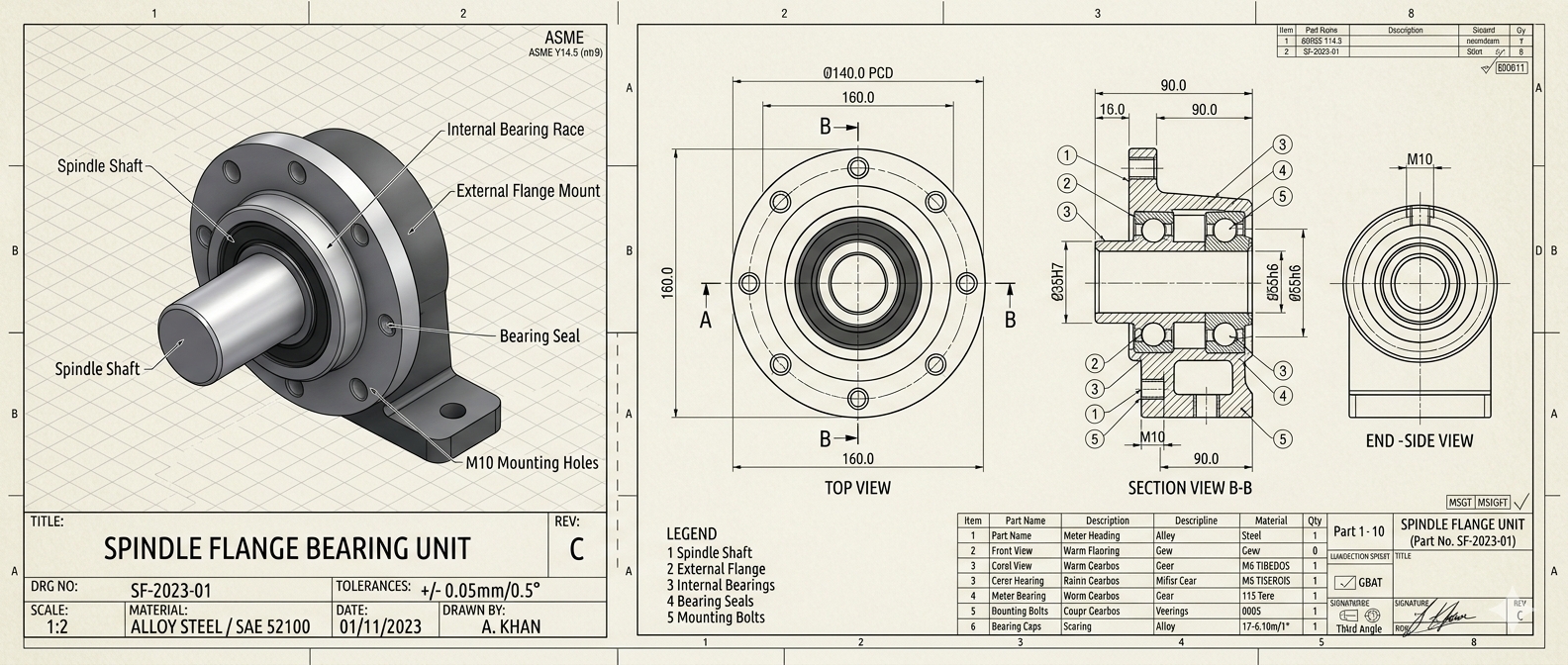
    DrawAI automatically converts 3D CAD models into detailed 2D manufacturing drawings, generating views, dimensions, annotations, and tolerances with minimal manual effort.

    Our 3D modeling, optimization and simulation services strengthen designs for weight, material usage and manufacturability, so your team iterates faster with fewer physical prototypes.

    Autodesk Inventor / AutoCADSolidWorksPTC CreoCATIA
    What we draw

    Built for the drawings your shop floor runs on

    Flat patterns, ready for the press brake

    DrawAI unfolds sheet metal parts and lays out everything your fabricators need on a single sheet.

    • Flat pattern with bend lines and directions
    • Bend table with angles, radii and K-factor
    • Formed and flat views, fully dimensioned
    UP 90° R2UP 90° R22X Ø8 THRUØ0.2AB52170130ABBEND TABLE#DIRANGRADIUS1UP90°R2.02UP90°R2.03UP90°R2.04UP90°R2.0K-FACTOR 0.44 · t = 2.0NOTE: BREAK ALL SHARP EDGES 0.5 MAX
    Get a quote

    Frequently Asked Questions

    Everything you need to know about Design Copilot, DrawAI, and our CAD services.

    Design Copilot is our AI-assisted engineering design service. It combines DrawAI for automated 3D to 2d manufacturing drawings in minutes & 3D Modeling for optimization, and simulation to speed up your design-to-manufacturing workflow.

    DrawAI analyzes your 3D model geometry and automatically generates the required orthographic, section, and detail views, then adds dimensions, annotations, and tolerances based on manufacturing standards, so you only review and fine-tune.

    We provide plugins for every major CAD program, including Autodesk Inventor, AutoCAD, SolidWorks, PTC Creo, and CATIA. The plugins work inside your existing environment, so your team keeps its familiar tools.

    Savings depend on part complexity, but automating repetitive tasks such as view placement, dimensioning, and annotation usually cuts drawing time significantly and keeps results consistent across your team.

    Yes. We optimize designs for strength, weight, material usage, and manufacturability, and run simulations under real-world conditions to find weak points early, which means fewer physical prototypes and faster iterations.

    Our enterprise solutions can be deployed according to your organization's security and data requirements, with control over where engineering data is processed and stored.

    Built for Engineering Enterprises

    Design Copilot learns from your standards, runs where your data lives, and works inside the tools your team already uses.

    Knowledge Base

    Design Copilot learns from your drawing standards, past designs, and engineering rules, so every output follows how your team already works.

    • Trained on your templates, standards & tolerances
    • Reuses proven designs and best practices
    • Consistent results across teams and projects

    On-Prem & Air-Gapped Deployment

    Run Design Copilot entirely inside your own infrastructure, with no internet connection required. Your CAD data and IP never leave your network.

    • Fully on-premise or air-gapped installation
    • No external data transfer or cloud dependency
    • Enterprise-grade access control & audit trails

    Plug-In to Your Existing Software

    Use Design Copilot as a plugin directly inside the CAD tools your engineers already use. No new platform to learn and no workflow disruption.

    • Autodesk Inventor, AutoCAD & SolidWorks
    • PTC Creo and CATIA
    • Works with your existing PDM/PLM workflows